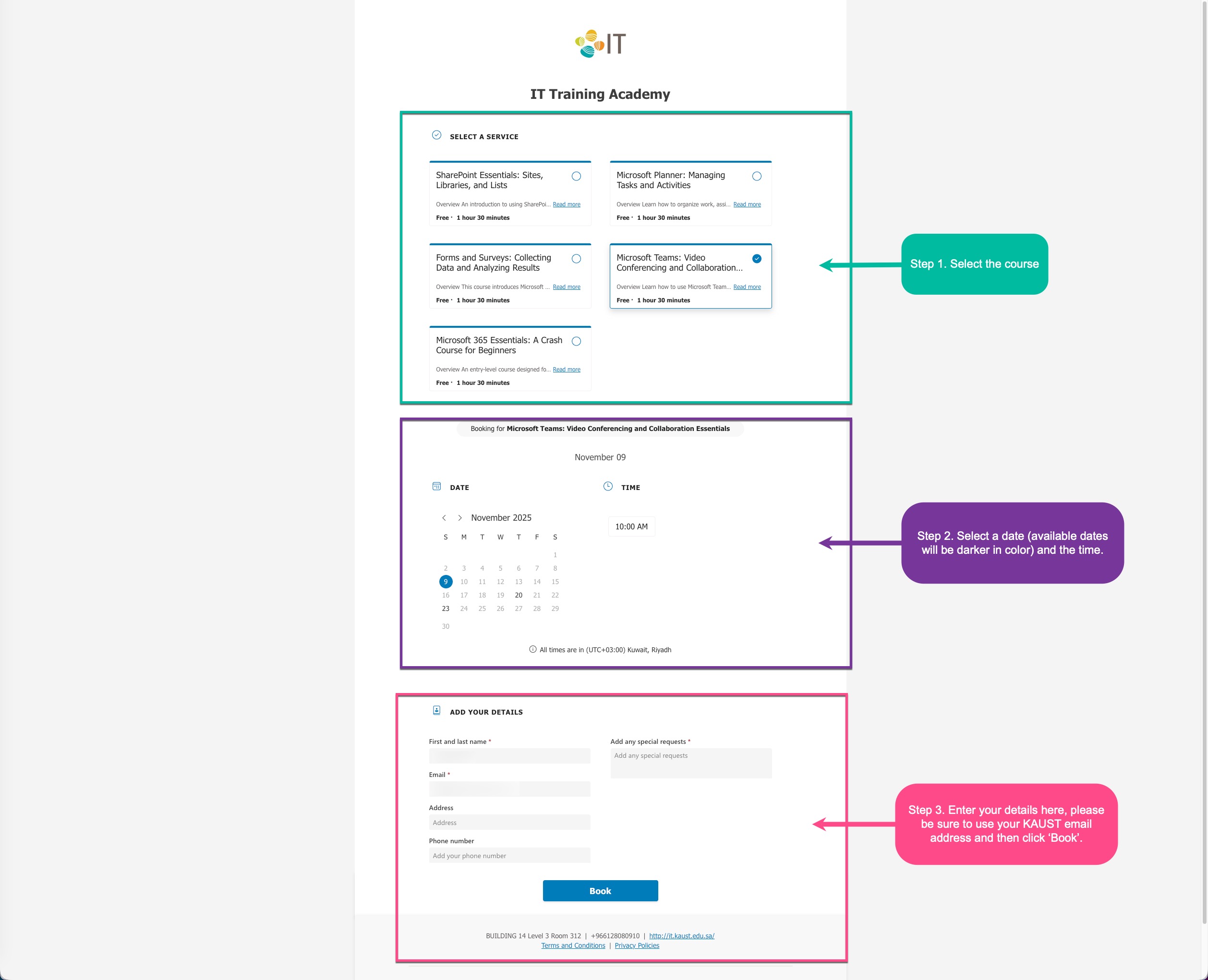
IT Training Academy: new booking system
Registering for an IT Training Academy session just got a lot easier. We've moved to Microsoft Bookings: a simple, fast booking system that works on any device. Pick your course, choose a time that suits you, and you're done.
How it works
1
Choose the course you want to attend
- Browse the booking page and select the course you're interested in.
- Each course card includes a brief overview and the typical duration so you know what to expect.
2
Find a date and time that works for you
- The calendar shows all available dates and times for your chosen course.
- Available dates appear darker on the calendar.
- If nothing shows in the current month, use the arrows to move forward or back.
- Select your preferred date, then choose a time slot.
3
Fill in your details and confirm
- Enter your name and KAUST email address.
- Got a question or a special request? Add it in the notes field.
- Hit Book to confirm. A confirmation email and calendar invite will land in your inbox shortly after.
A few things worth knowing
- When sessions run: We schedule on a quarterly basis, planned around trainer availability, the University calendar, KAUST holidays, and other key dates.
- How to hear about new sessions: We announce upcoming sessions on either the IT Website News Section or TheLENS. Whichever you check more often will do.
- Registration is personal: Your booking is for you only. Spots are filled on a first come, first served basis, so register early.
- Be fair to others: Please avoid booking duplicate sessions so everyone gets a fair chance.
- Need to change your booking? No problem. Use the link in your confirmation email to cancel or reschedule at any time.